7 Signs You Need a Battery Replacement

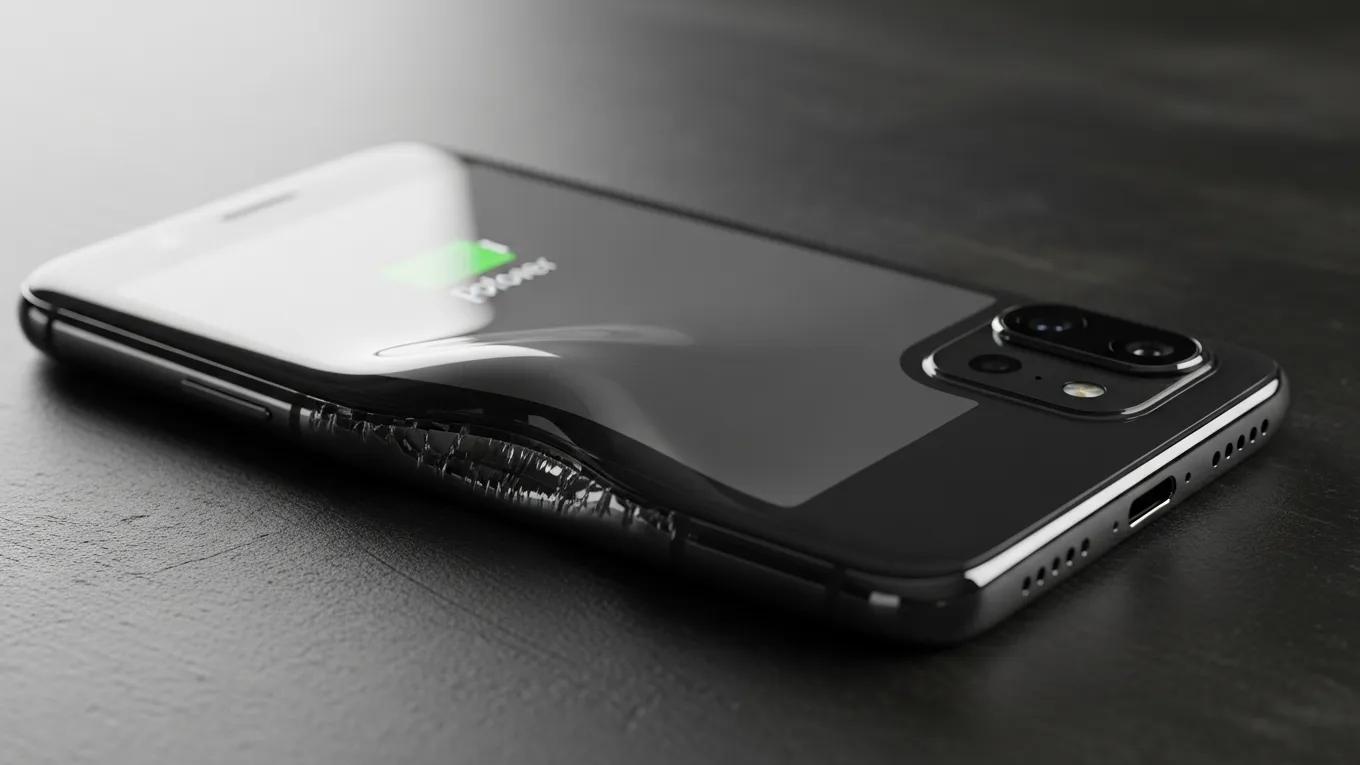
Smartphone with swollen battery highlighting signs of battery failure early

7 Signs You Need a Battery Replacement: How to Identify Phone Battery Failure Early

By Dash Cellular, Dash Cellular Repair

As smartphones are essential in our daily lives, a failing battery can significantly impact usability and functionality. Understanding the signs that indicate a declining battery can help you take timely action to avoid more severe device issues. This article will explore early indicators that your smartphone battery may need replacement, ensuring you recognize the symptoms to maintain optimal device performance. From unexpected shutdowns to excessive heat generation, this guide will address each sign systematically.

Recognizing when to replace your phone battery can prevent further degradation of your device’s functionality and lifespan. In this guide, we will discuss seven clear signs indicating you may need a battery replacement. Additionally, we will consider the symptoms of battery failure, common indicators of reduced battery life, and how to assess battery health accurately.

1. Excessive Heat Generation

Excessive heat generation from your device can indicate battery stress and potential issues with its performance. When a battery overheats, it can be a symptom of various underlying problems including overcharging, defective cells, or excessive usage. Not only can this affect the battery life, but overheating poses a risk of damaging other internal components of your smartphone.

If you frequently notice that your device feels overly hot during charging or general use, it’s wise to consult a professional. A knowledgeable technician can evaluate the condition of your battery and address any immediate concerns you may have regarding overheating.

This perspective aligns with research on preventing thermal injuries from phone battery malfunctions, emphasizing safe handling practices.

Preventing Thermal Injuries from Phone Battery Malfunction

safe cell phone battery practices including avoiding overcharging and direct skin exposure to minimize thermal injury risk.

Cellular phone collateral damage: A review of burns associated with lithium battery powered mobile devices, J Kanevsky, 2016

Recommended Actions

  • Limit Usage: Avoid using power-intensive applications while charging.
  • Use Official Chargers: Always use the charger that came with your device or certified equivalents.
  • Seek Professional Help: If overheating persists, it’s best to consult with battery specialists for a thorough check.

2. Physical Swelling
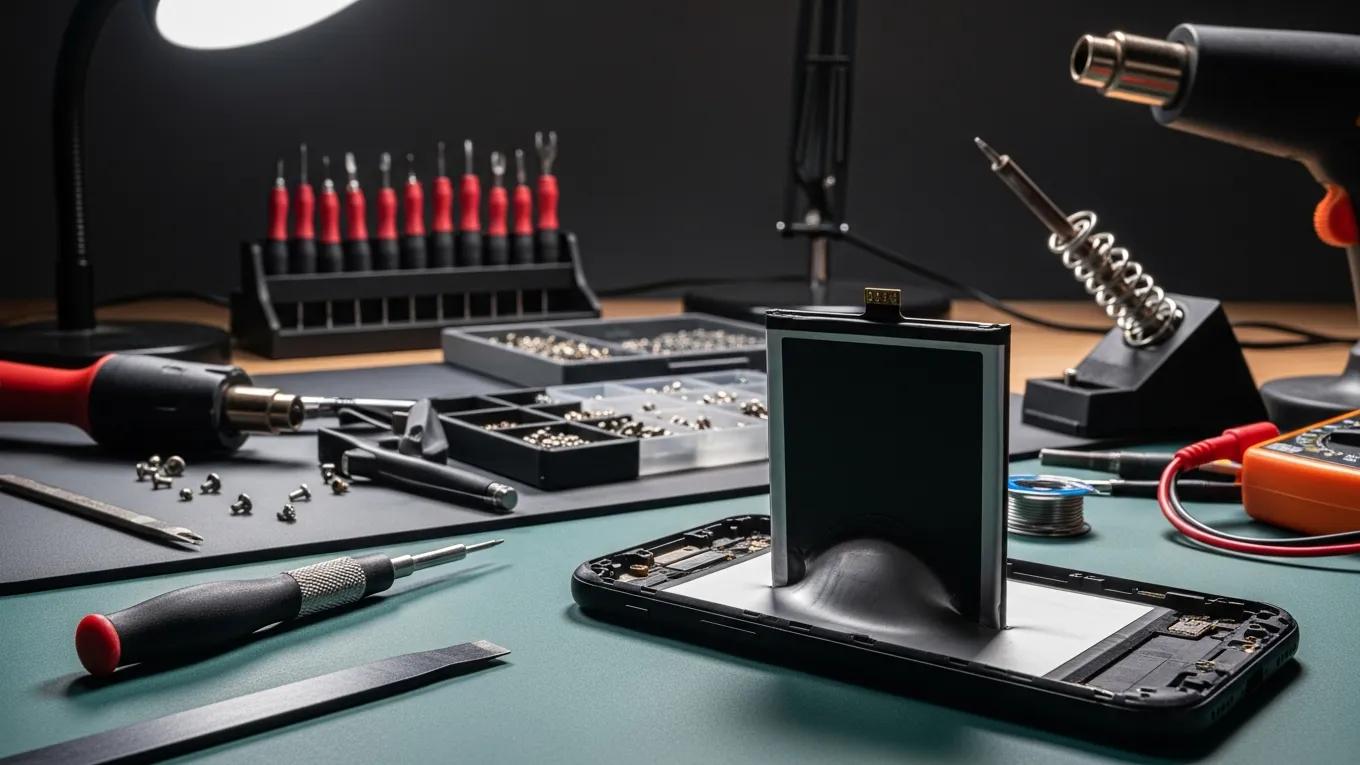
Physical swelling of your phone’s battery is a critical warning sign that should not be ignored. This swelling typically occurs due to the battery cells degrading and can cause pressure to build inside the casing, leading to potential device damage. In severe cases, a swollen battery may create safety hazards.

To identify a swollen battery, look for any unusual bulging beneath your phone’s case or any separation between the screen and the device. If you notice these symptoms, stop using the device and seek assistance from a repair expert immediately.

Associated Risks

  • Device Damage: Swollen batteries can push internal components out of place, potentially damaging screens or connectors.
  • Fire Hazard: In extreme cases, a swollen battery can leak chemicals or catch fire.

3. Unexpected Power Drain

A significant and unexpected power drain is often an early indication that your battery may be failing. If you find that your battery percentage is dropping rapidly even during light use, this could signal underlying issues. Early identification of this issue can be crucial for determining the need for battery upkeep.

Factors contributing to rapid power drain can include aging batteries, software malfunctions, or extensive background processes consuming power. Identifying the root cause is essential to determining whether a battery replacement is necessary.

Important Checks

  • Usage Patterns: Monitor which applications drain the battery most significantly.
  • Device Settings: Adjust settings like background app refresh, location services, and screen brightness to optimize battery life.

4. Erratic Charging Behavior

Erratic charging behavior represents another telltale sign of battery issues. If your phone fails to charge consistently or displays unusual charging patterns—such as taking much longer to reach a full charge or not charging at all—it may indicate a need for battery replacement.

This inconsistency could stem from a failing battery, damaged charging ports, or issues with the charging cable itself.

Recommended Solutions

  • Inspect Charging Accessories: Ensure that both the charger and cable are functioning properly.
  • Battery Diagnostic: Utilize diagnostic tools or professional services to assess battery health.

5. Frequent Unexpected Shutdowns

Unexpected shutdowns can be frustrating and are often linked to failing battery health. If your phone shuts off at seemingly random intervals, especially when showing a healthy battery percentage, it is likely a sign of battery weakness.

Research on smartphone battery state-of-health highlights how unexpected shutdowns are often linked to a declining battery.

Smartphone Battery State-of-Health and Unexpected Shutdowns

of their battery’s state-of-health (SoH), which, in turn, shuts them off unexpectedly and accelerates their battery fading. In this paper, we design V-BASH, a new battery

SoH estimation Battery state-of-health estimation for mobile devices, L He, 2017

These abrupt power losses can not only hinder your user experience but may also lead to data loss or corruption.

Mitigation Strategies

  • Backup Regularly: Keep your data backed up to avoid loss during unexpected shutdowns.
  • Assess Battery Health: Consult a professional for a diagnostic review to understand the need for battery replacement.

6. Significant Charging Time Increases

If you notice that your phone takes a significantly longer time to charge, this could signify an ailing battery. As batteries wear down, their efficiency lowers, leading to extended charging times. This is a common indicator that it might be time for a battery repair.

This increase may occur alongside other symptoms of battery deterioration, making it even more crucial to pay attention to your device’s behavior.

Proactive Measures

  • Monitor Changes: Keep track of changes in charging times alongside usage patterns.
  • Visit a Repair Specialist: If you consistently experience longer charging times, it’s advisable to seek consultation for potential battery replacement.

7. Odors and Sounds

Unusual odors or sounds emanating from your device can be alarming and are often indicators of severe battery issues. A burning smell or hissing noise can suggest that the battery is leaking or swelling dangerously.

Addressing this sign quickly is vital to ensure your safety and the safety of those around you. If you encounter these symptoms, power down your device immediately and seek professional assistance.

Safety Protocols

  • Immediate Power Off: Turn off the device immediately to prevent further damage.
  • Seek Expert Help: Consult with battery or electronic repair specialists to safely handle the situation.

What Are the Common Signs of Phone Battery Failure?

Identifying common signs of battery failure empowers users to act quickly, ensuring their devices remain functional and safe. The symptoms discussed often manifest as performance issues, leading to decreased usability and safety concerns if not addressed.

How Can Reduced Battery Life Indicate Battery Issues?

Reduced battery life can serve as a significant indicator of battery failure. The factors contributing to reduced battery life range from battery age to underlying software issues. Understanding these aspects allows users to determine when replacement is necessary.

How to Diagnose Battery Health for Accurate Replacement Timing

Evaluating your battery’s health accurately can prolong your device’s life and enhance performance. If your device starts showing symptoms discussed above, performing diagnostic checks can inform you of the replacement’s necessity.

Which Diagnostic Methods Assess Battery Performance?

Various diagnostic methods are available for assessing battery performance. Options include:

  • Built-in Software Tools: Many devices offer built-in diagnostics for checking battery health.
  • Third-Party Applications: Specialized apps can provide detailed battery performance data.
  • Professional Assessment: Consulting with repair centers can yield comprehensive results and recommendations.

How Does Battery Health Affect Device Performance?

The health of your battery has a direct correlation with your phone’s performance. A failing battery not only compromises longevity but affects speed, reliability, and overall user experience, rendering regular checks essential to maintain optimal performance.

Why Is Battery Swelling a Critical Symptom to Watch?

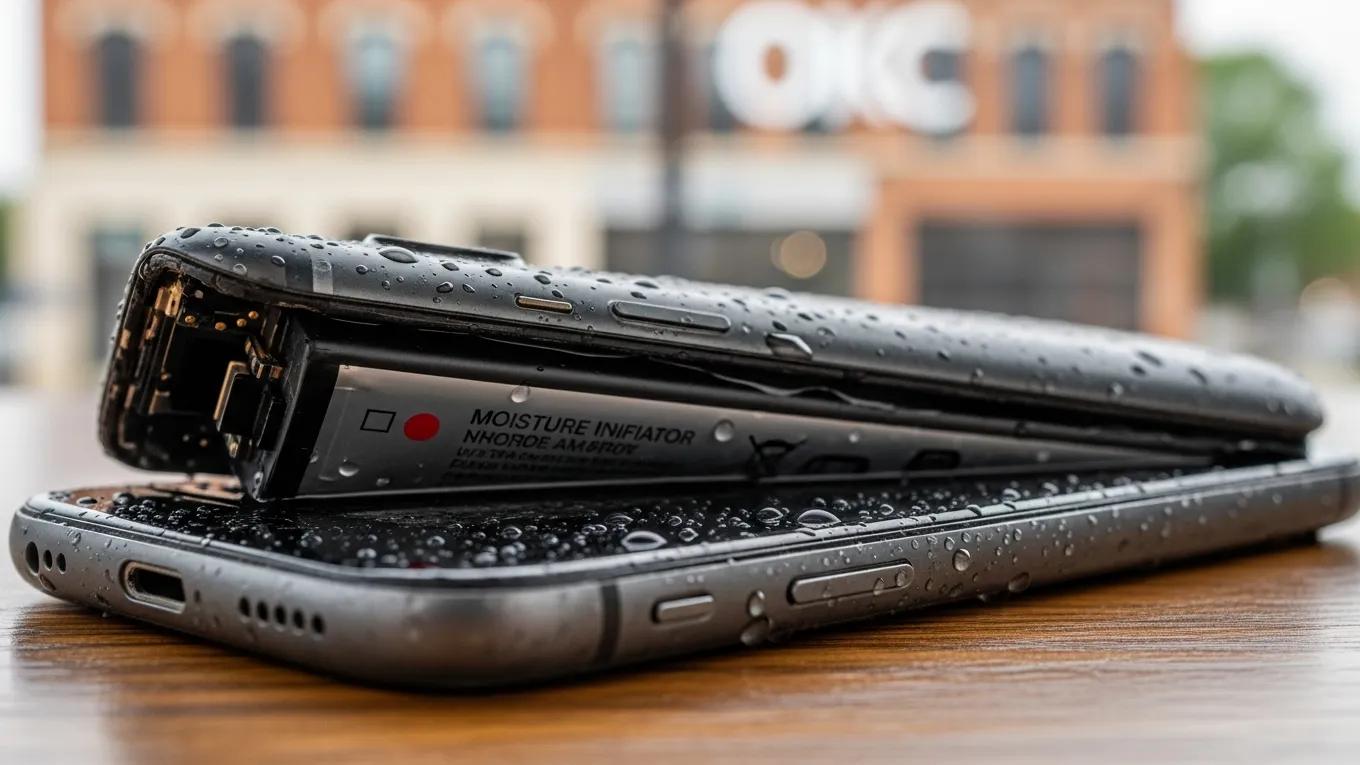
Battery swelling indicates significant degradation and poses safety risks. Swollen batteries can damage devices and lead to safety hazards such as fire or chemical leaks.

What Are the Safety Risks of a Swollen Phone Battery?

A swollen battery risks not only your hardware but also your safety. Emergency situations can arise if not addressed quickly, highlighting the need for prompt professional assistance.

How to Identify Swelling Symptoms Early and Prevent Damage?

Proactively identifying signs of swelling involves recognizing physical changes in your device’s shape or casing. Regular checks and being vigilant in observing any physical alterations can prevent further complications.

When Should You Consider Battery Replacement Based on Lifespan?

Battery lifespan should inform users regarding the timing of potential replacements. Generally, smartphone batteries begin to degrade after several hundred charge cycles, commonly within 2-3 years of regular use.

What Is the Typical Phone Battery Lifespan and Replacement Frequency?

Phone batteries typically last between 2-3 years, fluctuating based on usage rates and charging habits. Replacing batteries past this point can enhance performance and longevity.

How Do Charging Cycles Influence Battery Degradation?

Charging cycles play a large role in battery health. Each time the battery is charged from 0 to 100%, it represents a cycle that contributes to gradual wear. Understanding this can help manage usage and replacement timings effectively.

What Are the Benefits of Timely Battery Replacement?

Timely battery replacements lead to enhanced device reliability and longevity. Immediate replacement when symptoms arise can reduce further complications and maintain optimal performance.

How Does Replacing a Battery Enhance Device Reliability?

Replacing a failing battery restores a device’s reliability by ensuring consistent power supply and functionality. Users often notice improved performance following replacement.

What Risks Arise from Delaying Battery Replacement?

Delaying battery replacements can lead to a cascade of device issues including slow performance, unexpected shutdowns, and even severe battery failure, which may risk safety.

How Does Dash Cellular Repair Ensure Expert Battery Replacement Service?

Dash Cellular Repair specializes in electronic device repairs, offering professional battery replacement services to address symptoms such as reduced battery life and device performance issues. Our swift and reliable solutions ensure that your device stays functional and efficient.

Each battery replacement includes diagnostic testing and quality assurance, allowing you to return to using your device with confidence.

What Is the Typical Turnaround Time and Pricing for Replacement?

Battery replacement services at Dash Cellular Repair are not only effective but also quick, typically ranging from 24-48 hours depending on the extent of repair needed and parts availability. Battery replacement services may start at competitive prices, ensuring your device’s longevity without breaking the bank.

What Warranty and Quality Assurance Accompany Our Battery Replacements?

At Dash Cellular Repair, we stand behind the quality of our battery replacement services, offering warranties that provide peace of mind and assurance that your battery replacement will meet the highest standards.

Repair Locations Nearby

Retail storefronts featuring Dash Cellular Repair and Styles Unlimited with visible store displays and signage.

i240 & Penn OKC

Dash Cellular Repair

2112 W I-240 Service Rd

Oklahoma City, OK 73159

405-601-7020

Dash Cellular Repair storefront with bright signage, OPEN sign, and Cricket Wireless logo.

NW 178th & N Western Ave

Dash Cellular Repair

1201 NW 178th St Suite 114

Edmond, OK 73012

405-367-4810

Signage of Dash Cellular Repair showing logo, contact info, and storefront for smartphone repair services.

Del City, OK

Dash Cellular

4629 SE 29th St

Del City, OK 73115

405-506-3274

DASH Cell Phone Repair storefront showcasing phone, laptop, tablet repair services and cracked glass repair promotion.

Norman

Dash Cellular

614 W. Main St

Norman, OK 73069

405-318-8908

DASH Cellular Repair storefront with 'OPEN' sign, specializing in iPhone, Samsung Galaxy, and Google Pixel repairs.

NW 63rd St & N May

Dash Cellular Repair

2835 NW 63rd St

Oklahoma city, OK 73116

405-993-3465

Smartphone with minimalist black frame displaying "Hello," representing Dash Cellular Repair's tech services.

NW 23rd St

Dash Cellular

4911 NW 23rd St

Oklahoma City, OK 73127

405-367-3786

Storefront of Dash Cellular Repair showing mobile devices and promotional signs for buy-sell-trade and repair services.

Enid, OK

Dash Cellular

424 N Vanburen

Enid, OK 73703

580-749-9165

You May Also Like…

7 Signs You Need Camera Repair

7 Signs You Need Camera Repair

By Dash Cellular, Dash Cellular RepairCameras are intricate devices that capture fleeting moments, but they're not...