Every year, millions of american smartphone users deal with a cracked screen and the frustration that follows. A single drop can turn your sleek device into a web of broken glass, and even small impacts or temperature changes add up over time. Understanding why screens crack is critical for anyone who wants to keep their technology working and avoid expensive repairs. You will discover what really makes device screens vulnerable and learn practical ways to extend your screen’s life.
Table of Contents
- Why Screens Crack: Core Concepts Explained
- Different Types of Device Screen Materials
- Common Causes of Screen Cracks and Damage
- How Impact and Stress Affect Screens
- Cost Implications and Preventing Screen Damage
Key Takeaways
| Point | Details |
|---|---|
| Screen Damage Causes | Common causes of screen cracks include physical impacts, thermal stress, and manufacturing defects. Awareness of these factors can help in taking preventive actions. |
| Material Vulnerability | Different screen technologies like LCD, OLED, and Quantum Dot have unique properties that affect their susceptibility to damage. Choosing the right material can enhance device durability. |
| Preventive Strategies | Using protective cases, tempered glass, and careful handling can significantly reduce the risk of screen damage. Proactive measures are more cost-effective than repairs. |
| Economic Impact | Repairing cracked screens can be very expensive; understanding damage causes helps in decision-making to protect the device’s value. Regular inspections and maintenance are recommended. |
Why Screens Crack: Core Concepts Explained
Screens are surprisingly fragile technological surfaces vulnerable to multiple forms of damage. According to reshine-display, smartphone and device screens can crack through several primary mechanisms of mechanical stress and structural weakness.
The most common reasons screens crack involve physical impacts, which occur through direct force like drops, hits, or sudden pressure. When a device falls or experiences sudden compression, the screen’s delicate glass or LCD layer can fracture instantly. Blog research highlights that even seemingly minor mechanical stresses can create microscopic weaknesses that eventually lead to complete screen failure.
Beyond physical impacts, thermal stress plays a significant role in screen damage. Rapid temperature changes can cause material expansion and contraction, creating internal pressure that compromises screen structural integrity. This means environments with extreme temperature shifts – like moving from a cold outdoor space to a warm indoor room – can gradually weaken your screen’s durability. Manufacturing defects can further amplify these vulnerabilities, creating potential failure points before the device is even used.
Key factors contributing to screen damage include:
- Direct physical impacts
- Mechanical bending or twisting
- Thermal stress from temperature fluctuations
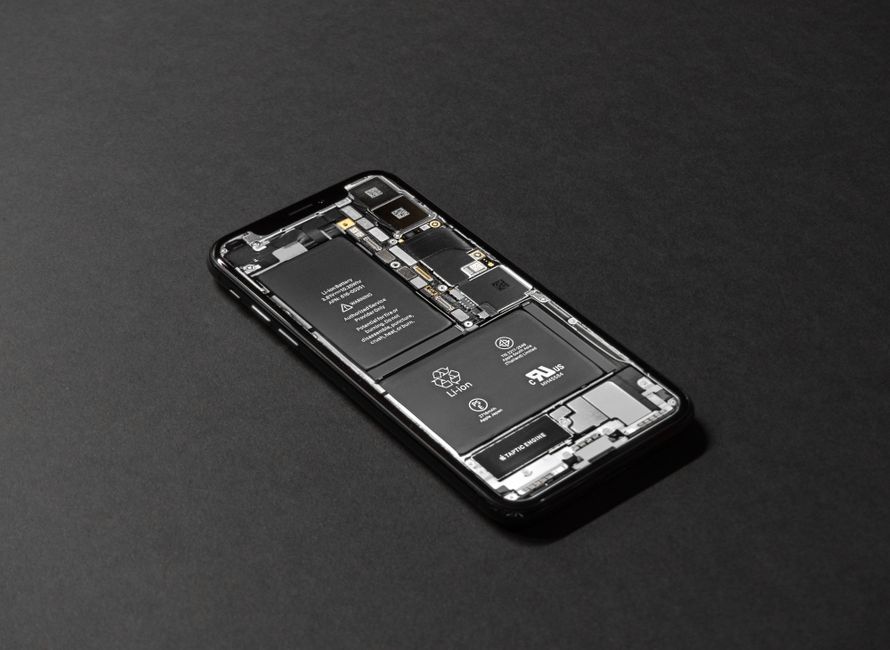
- Internal pressure from battery swelling
- Uneven mounting or structural weak points
Understanding these core concepts can help device owners take proactive steps to protect their screens and minimize potential damage. Why Cracked Screens Spread provides additional insights into how initial screen damage can progressively worsen over time.
Different Types of Device Screen Materials
Device screens have evolved dramatically, featuring multiple complex material compositions designed to balance durability, visual performance, and user experience. Wikipedia explains that Liquid Crystal Displays (LCDs) represent a foundational technology where liquid crystals are strategically sandwiched between transparent electrodes and polarizing filters to modulate light and generate images.
Modern screen technologies extend far beyond traditional LCD configurations. Quantum dot displays represent a cutting-edge innovation that utilizes semiconductor nanocrystals to produce remarkably pure and accurate colors. According to Wikipedia, these advanced displays offer enhanced color reproduction and superior energy efficiency compared to conventional LCD technologies, marking a significant leap in display engineering.
The primary screen material types encountered in contemporary devices include:
- LCD Screens: Traditional technology using liquid crystal layers
- OLED Screens: Organic light-emitting diode displays with individual pixel illumination
- AMOLED Screens: Active-matrix organic light-emitting diode displays
- Quantum Dot Displays: Advanced color-precise screens using nanocrystal technology
- E-Ink Displays: Reflective screens mimicking paper-like appearance
Understanding the nuanced differences between these screen materials helps consumers make informed decisions about device purchases and potential repair strategies.
 Understanding Screen Replacement Guide provides additional insights into selecting appropriate screen technologies for various device types.
Common Causes of Screen Cracks and Damage
Device screens face numerous threats that can compromise their structural integrity and functionality. reshine-display highlights that physical impacts represent the most direct and immediate cause of screen damage, with drops, collisions, and sudden pressure creating instantaneous fractures in delicate screen materials.
Beyond direct physical trauma, environmental and mechanical stresses play a significant role in screen deterioration. According to blog research, smartphone screens can experience damage through subtle mechanical stresses like bending, twisting, and internal pressure changes. These less obvious forces can create microscopic structural weaknesses that gradually compromise screen durability.
The most common causes of screen damage include:
- Direct physical impacts and drops
- Excessive bending or twisting
- Extreme temperature fluctuations
- Uneven mounting or pressure points
- Internal battery swelling
- Manufacturing defects
- Improper handling and storage
Understanding these potential damage mechanisms empowers device owners to take proactive protective measures.
Understanding What is a Cracked Screen can help you recognize early warning signs and prevent further deterioration of your device’s screen.
How Impact and Stress Affect Screens
Screen vulnerability is a complex interplay of material science and mechanical forces. reshine-display explains that physical impacts can cause immediate structural damage by exceeding the screen material’s inherent tolerance, creating fractures in both glass and underlying layers.
Mechanical stress operates through multiple intricate mechanisms that gradually compromise screen integrity. According to blog research, smartphone screens are particularly susceptible to subtle stress factors like bending, twisting, and internal pressure changes that create microscopic structural weaknesses.
Key stress mechanisms that impact screen durability include:
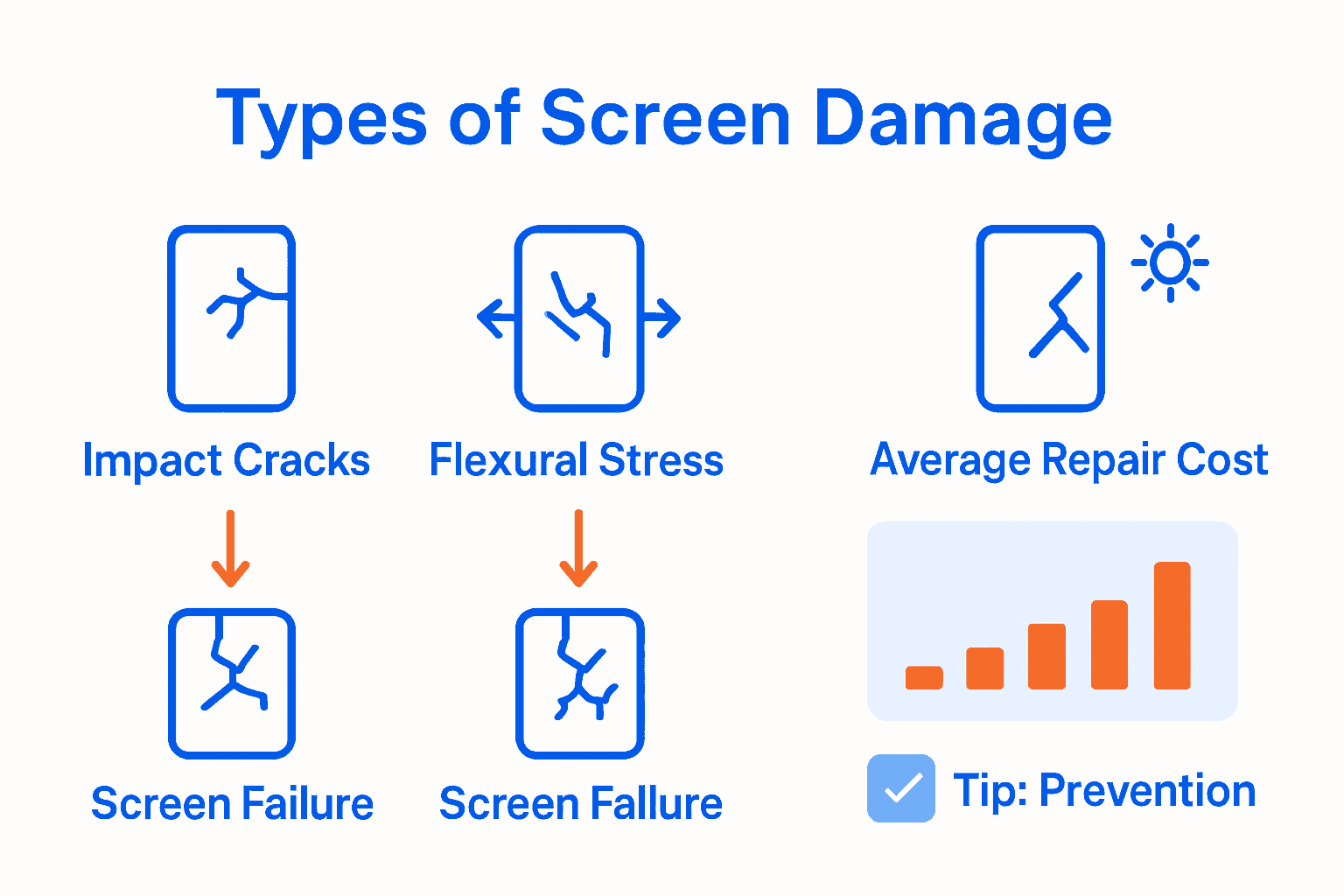
- Direct Impact Fractures: Sudden, forceful collisions
- Flexural Stress: Bending and twisting forces
- Thermal Expansion Damage: Temperature-induced material deformation
- Cumulative Micro-Damage: Gradual structural weakening
- Pressure Point Failures: Concentrated stress zones
Impact of Cracked Screens Guide provides deeper insights into how these stress mechanisms progressively compromise device screen performance and structural integrity.
Cost Implications and Preventing Screen Damage
Screen damage represents a significant financial burden for device owners. reshine-display highlights that repairing or replacing a cracked LCD screen can be extremely costly, making preventive measures crucial for protecting your device’s long-term value.
Prevention strategies are far more economical than reactive repairs. According to blog research, protecting devices involves minimizing mechanical stress by avoiding actions that cause bending, twisting, or exposing devices to rapid temperature changes. These proactive steps can significantly reduce the risk of costly screen damage.
Key strategies for preventing screen damage and managing repair costs include:
- Using high-quality protective cases
- Applying tempered glass screen protectors
- Avoiding extreme temperature environments
- Handling devices with care
- Regularly inspecting devices for early signs of stress
- Maintaining battery health to prevent internal pressure
- Storing devices in padded, protective locations
Screen Repair Process Guide offers comprehensive insights into understanding repair costs and selecting the most cost-effective protection strategies for your specific device.
Protect Your Device and Restore Its Screen with Trusted Experts
Cracked screens happen from everyday impacts, bending stress, and temperature changes that weaken your device over time. This guide explains why screens break and how tiny damages can quickly get worse. If you want to avoid costly replacements or inconvenient repairs, understanding these risks is key. At Dash Repairs, we specialize in fast and affordable screen fixes for smartphones, tablets, and laptops so you can get back to using your device without delay.

Experience quality repair services with warranty coverage in your local area. Browse our Uncategorized Repairs to see the variety of devices we handle and learn how we protect your investment. Don’t let a cracked screen become a bigger problem. Visit Dash Repairs now for quick help and expert care. Ready to fix your screen today Explore more about our services in the SEO category and take the first step in preserving your device’s performance.
Frequently Asked Questions
What are the main causes of screen cracks?
The primary causes of screen cracks include direct physical impacts from drops or hits, mechanical bending or twisting, thermal stress from temperature fluctuations, internal pressure changes from battery swelling, and manufacturing defects.
How can I prevent my screen from cracking?
To prevent screen damage, use high-quality protective cases, apply tempered glass screen protectors, avoid extreme temperature environments, handle your device with care, and regularly inspect it for early signs of stress.
What types of screen materials are most commonly used in devices?
Common screen materials include LCD screens, OLED screens, AMOLED screens, quantum dot displays, and e-ink displays, each offering unique benefits in terms of durability and visual performance.
How does thermal stress affect my device screen?
Thermal stress can weaken a device screen by causing material expansion and contraction due to rapid temperature changes, which can create internal pressure and compromise structural integrity over time.
Recommended
- Understanding What is a Cracked Screen and Its Implications | Dash Cellular Repair | Cell Phone, iPhone, Laptop Repair in Oklahoma
- Impact of Cracked Screens: Complete Guide for 2025 | Dash Cellular Repair | Cell Phone, iPhone, Laptop Repair in Oklahoma
- Why Cracked Screens Spread: Complete Guide | Dash Cellular Repair | Cell Phone, iPhone, Laptop Repair in Oklahoma
- Understanding Why Fix Cracked Screens Matters | Dash Cellular Repair | Cell Phone, iPhone, Laptop Repair in Oklahoma