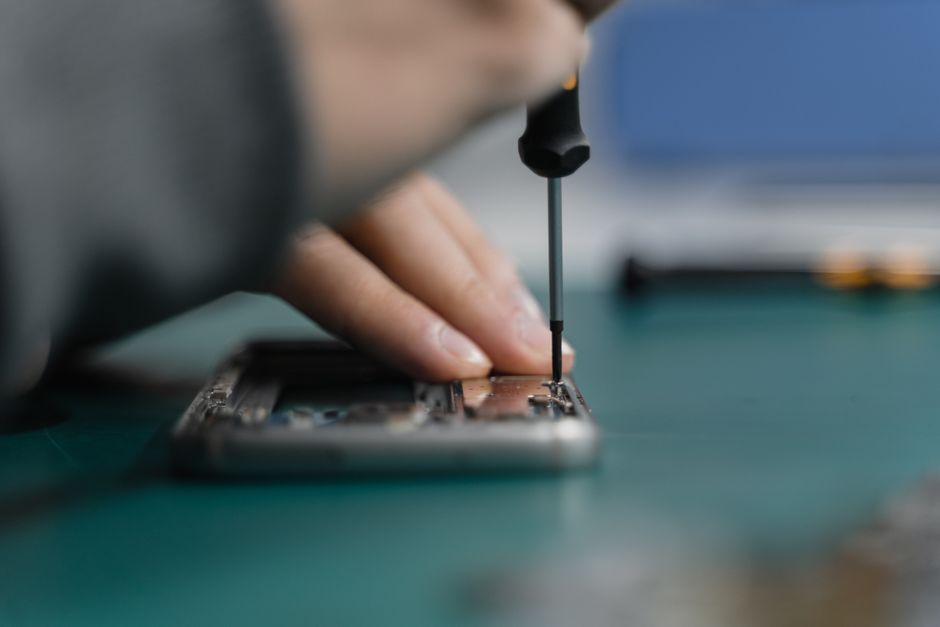
Did you know that over 50 percent of device repairs can be handled without professional help? With phones and laptops playing such a major role in daily life, unexpected breakdowns can quickly disrupt your routine and strain your budget. Simple strategies can help you avoid unnecessary expenses while getting your electronics back in working order. Taking control of basic troubleshooting, price comparisons, and repair options gives you the power to save money while keeping your devices running smoothly.
Table of Contents
- 1. Evaluate Diy Fixes For Simple Problems
- 2. Compare Local Repair Shops For Best Prices
- 3. Check For Warranty Or Insurance Coverage
- 4. Ask About Refurbished Parts To Save Money
- 5. Use Repair Coupons And Special Deals
- 6. Understand Common Repair Guarantees
- 7. Consider Device Trade-In Or Buyback Programs
Quick Summary
| Takeaway | Explanation |
|---|---|
| 1. Diagnose Simple Issues Yourself | Identify and fix minor device problems to save time and costs on repairs. |
| 2. Compare Local Repair Prices | Gather quotes from various shops to ensure you get the best value for your repair needs. |
| 3. Check Warranty or Insurance Coverage | Investigate existing warranties and insurance to potentially cover repair costs or reduce expenses. |
| 4. Ask About Refurbished Parts | Consider refurbished components as a cost-effective alternative that meets quality standards. |
| 5. Utilize Repair Coupons and Deals | Actively seek promotions and discounts at repair shops to lower repair expenses significantly. |
1. Evaluate DIY Fixes for Simple Problems
Smart device repairs don’t always require professional intervention. Many common phone, tablet, and laptop issues can be resolved with basic troubleshooting techniques you can perform right at home.
Before rushing to a repair shop, learn to diagnose and potentially fix simple device problems that might seem complex but are actually straightforward. Simple DIY fixes can save you significant money and time while preventing unnecessary professional service charges.
Start by identifying the most common minor issues that are typically manageable without specialized tools. These usually include:
- Slow device performance
- Unresponsive touchscreens
- Battery drainage problems
- Software glitches
- Minor connectivity issues
- Temporary freezing or lagging
For instance, a smartphone experiencing slow performance might simply need a restart or app cache clearing. Unresponsive touchscreens could result from accumulated dust or minor calibration problems that you can address without professional help.
Before attempting any DIY repair, always back up your device data to prevent potential information loss. Research specific troubleshooting steps for your exact device model and carefully follow manufacturer recommended procedures. When in doubt, consult example repair methods to understand safe and effective DIY approaches.
Critical precautions include avoiding physical force, using appropriate cleaning tools, and stopping immediately if you feel uncertain about a repair technique. Not every problem requires expensive professional intervention some can be solved with patience and basic technical knowledge.
2. Compare Local Repair Shops for Best Prices
Repairing your electronic device doesn’t mean breaking the bank. Smart consumers understand that comparing local repair shops can lead to significant savings and better service quality.
Understanding price variations is crucial when seeking device repairs. Not all repair shops charge the same rates, and prices can fluctuate based on device type, repair complexity, and local market conditions.
When comparing repair shops, focus on these key evaluation criteria:
- Transparent pricing structures
- Warranty offerings
- Repair turnaround times
- Technician expertise
- Customer service reputation
- Range of services provided
Start by gathering quotes from multiple local repair shops. Most reputable businesses offer free diagnostic assessments, which can help you understand the exact scope and cost of needed repairs. Learn how to choose the right mobile repair shop to make an informed decision.
Dont just focus on the lowest price. A slightly more expensive repair from a highly skilled technician might save you money in the long run by providing more reliable and comprehensive service. Look for shops that offer warranties on their repairs, as this indicates confidence in their workmanship.
Remember that communication is key. Ask detailed questions about the repair process, parts used, and expected outcomes. A trustworthy repair shop will be transparent about their capabilities and limitations, helping you make the best choice for your device and budget.
3. Check for Warranty or Insurance Coverage
Before spending money on device repairs, investigate potential free or discounted repair options through existing warranties and insurance plans. Many consumers overlook these valuable resources that can significantly reduce out of pocket repair expenses.
Understanding your device coverage is a critical first step in managing repair costs. Different types of warranties and insurance plans offer varying levels of protection for your electronic devices.
Key sources of potential repair coverage include:
- Original manufacturer warranties
- Extended protection plans
- Credit card purchase protection
- Homeowners or renters insurance
- Cellular carrier insurance programs
- Specialized electronics insurance policies
Start by locating your original purchase documentation and checking the remaining warranty period. Many manufacturers provide standard one to two year warranties that cover manufacturing defects and unexpected hardware failures. Some credit cards automatically extend manufacturer warranties when you purchase devices using their service.
For smartphones and tablets, cellular carriers often offer insurance programs that cover accidental damage. These plans typically include screen replacements, water damage repairs, and device exchanges for a monthly fee. Learn how to keep repair costs down by understanding your existing coverage options.
Caution is key when navigating warranty claims. Read the fine print carefully to understand exactly what is and is not covered. Some warranties become void if unauthorized repairs are attempted, so always consult your documentation before proceeding with any independent repair services.
Taking time to research your existing coverage can potentially save you hundreds of dollars in unnecessary repair expenses. Proactive investigation of warranty and insurance options is a smart financial strategy for any device owner.
4. Ask About Refurbished Parts to Save Money
Refurbished parts offer a smart and budget friendly solution for device repairs. These carefully restored components can dramatically reduce repair costs while maintaining quality and performance.
Understanding refurbished parts means recognizing they are not just secondhand components but professionally restored pieces that meet strict quality standards. Reputable repair shops thoroughly inspect, clean, and test these parts to ensure they function like new.
Benefits of choosing refurbished parts include:
- Significantly lower repair costs
- Environmentally friendly option
- Comparable performance to new parts
- Reduced electronic waste
- Faster repair turnaround times
- Potential warranty coverage
Refurbished components work particularly well for common replacements like smartphone screens, laptop batteries, and tablet charging ports. These parts undergo rigorous testing to ensure they meet original manufacturer specifications. Your local iPhone fix experts can provide detailed insights about the quality and reliability of refurbished parts.
When considering refurbished parts, ask your repair technician specific questions about their sourcing and testing processes. Reputable shops will be transparent about the origin of refurbished components and provide clear explanations of their quality control methods.
While new parts remain the gold standard, refurbished options offer an intelligent compromise between cost and quality. They represent a practical solution for budget conscious consumers who want reliable device repairs without breaking the bank. Always request a detailed explanation of the refurbishment process and any associated warranties before proceeding with the repair.
5. Use Repair Coupons and Special Deals
Savvy consumers know that smart device repairs don’t have to drain your wallet. Strategic use of coupons and special promotional offers can dramatically reduce your repair expenses.
Finding and maximizing repair discounts requires a proactive approach and some clever research strategies. Many repair shops offer seasonal promotions, first time customer deals, and targeted discounts that can significantly lower your repair costs.
Effective ways to find repair discounts include:
- Following local repair shops on social media
- Signing up for email newsletters
- Checking local advertising platforms
- Asking about referral programs
- Inquiring about student or military discounts
- Comparing seasonal promotional offers
Dont limit yourself to a single source of information. Repair shops often announce specials through multiple channels. Some businesses provide substantial discounts during slower seasons or for specific types of repairs. Learn how to choose the right mobile repair shop that offers the best combination of quality and affordability.
Timing can be crucial when seeking repair discounts. Many shops offer lower rates during off peak periods or provide package deals for multiple device repairs. Always ask about current promotions and be prepared to negotiate. Some businesses will match competitors prices or offer additional services to win your business.
Remember that the cheapest option is not always the best. Prioritize repair shops with solid reputations and quality workmanship. A slightly more expensive repair from a trusted technician can save you money in the long run by ensuring a comprehensive and lasting solution for your device.
6. Understand Common Repair Guarantees
Not all repair guarantees are created equal. Knowing the details of your repair warranty can protect you from unexpected expenses and ensure you receive quality service for your electronic device.
Repair guarantees provide critical protection for consumers investing in device maintenance. These warranties demonstrate a repair shop’s confidence in their workmanship and offer peace of mind beyond the initial repair.
Key elements of comprehensive repair guarantees include:
- Parts replacement coverage
- Labor warranty duration
- Specific repair type inclusions
- Conditions for warranty validity
- Repair process documentation requirements
- Limited vs unlimited warranty terms
Most reputable repair shops offer warranties ranging from 30 to 90 days, covering potential defects in parts or installation. Some premium services extend warranties up to one year for specific repair types. Learn how to choose the right mobile repair shop that provides robust guarantee terms.
Before accepting any repair, ask detailed questions about warranty specifics. Understand exactly what is covered and for how long. Some warranties become void if unauthorized modifications are made or if the device suffers additional damage after the initial repair.
Carefully review the written warranty documentation. Pay attention to exclusions and conditions that might impact your coverage. A quality repair guarantee should clearly outline the repair shop’s commitment to resolving any issues that arise from their initial service. Transparent warranty terms reflect a repair shop’s confidence and commitment to customer satisfaction.
7. Consider Device Trade-In or Buyback Programs
Instead of spending money on extensive repairs, smart consumers explore device trade in and buyback programs that can provide immediate financial value for their existing electronics. These programs offer an alternative solution when repair costs approach the value of the device itself.
Trade in and buyback options provide flexible alternatives to traditional repair strategies. Many businesses now offer competitive pricing for devices in various conditions, creating opportunities to offset repair expenses or upgrade to newer technology.
Potential trade in and buyback advantages include:
- Immediate cash compensation
- Credit toward new device purchases
- Environmentally responsible electronics recycling
- Reduced out of pocket expenses
- Simplified device replacement process
- Potential tax incentives
Before committing to a trade in, carefully assess your device condition and research multiple buyback platforms. Some repair shops offer direct trade in programs that can provide more value than traditional electronics recycling centers. Keep cost down with iPhone repair strategies that might include exploring trade in options.
Evaluate the financial mathematics carefully. Compare the cost of potential repairs against the trade in value. Sometimes investing in a minor repair can significantly increase your device resale value. Professional repair shops can help you understand whether repairing or trading in makes the most economic sense.
Remember that not all devices qualify for trade in programs. Factors like age, physical condition, and functional status significantly impact potential compensation. Always obtain multiple quotes and understand the specific requirements of each buyback program before making a final decision.
Below is a comprehensive table summarizing the main strategies and tips for managing electronic device repairs as discussed in the article.
| Strategy/Tip | Key Points & Actions | Benefits/Outcomes |
|---|---|---|
| DIY Fixes | Diagnose and fix issues like slow performance and touchscreen problems; back up data before DIY repairs. | Saves money and time; avoids unnecessary professional fees. |
| Compare Repair Shops | Evaluate pricing, warranties, and service quality of local shops; gather quotes and ask questions. | Ensures best financial choice with reliable service. |
| Warranty/Insurance Coverage | Check device warranties and insurance before repairs; understand coverage details thoroughly. | Reduces out-of-pocket costs; prevents unnecessary repair expenses. |
| Refurbished Parts | Opt for professionally restored parts; assess quality and warranty of components. | Lower repair costs; environmentally friendly; comparable quality. |
| Repair Coupons and Deals | Utilize promotions, seasonal discounts, and referral offers from repair shops. | Dramatically lowers repair costs; good timing can yield better deals. |
| Repair Guarantees | Review warranty terms; understand coverage and conditions; ask detailed questions about process and exclusions. | Avoids unexpected expenses; ensures quality service commitment. |
| Trade-In or Buyback Programs | Consider programs offering compensation for old devices; compare repair costs versus trade-in value. | Provides immediate financial value; offsets repair or new device costs. |
Discover Affordable and Reliable Repairs for Your Devices Today
Many device owners face the frustration of unexpected repairs for phones, tablets, or laptops. Whether you are dealing with a cracked screen, battery problems, or software glitches, finding cost effective and trustworthy solutions can feel overwhelming. This article highlights practical ways to save money and get quality repair service without sacrificing convenience or reliability.
At Dash Repairs, we understand the urgency of fast, affordable repairs backed by expert workmanship and clear warranties. Our local team specializes in a wide range of services including screen replacements, battery swaps, water damage fixes, and device unlocking. Don’t let repair worries hold you back — experience peace of mind knowing your device is in capable hands.
Take control of your device repair needs now by exploring our Cell Phone Repair services that also cover tablets and laptops.

Choose Dash Repairs for quick turnaround times, transparent pricing, and trusted technicians. Visit our homepage to schedule your repair or learn more. If you want to read more insights about device maintenance and repair options, feel free to explore our Uncategorized blog category. Act today and save both time and money on your next device repair.
Frequently Asked Questions
How can I fix my device’s slow performance at home?
You can often resolve slow performance by restarting your device or clearing the app cache. Start by performing a simple reboot, which can refresh the system, or check your device’s settings to clear stored data in apps, which can improve speed within minutes.
What are the common issues I can fix myself on my phone or tablet?
Common issues like unresponsive touchscreens, battery drain, or temporary freezing can frequently be addressed through basic troubleshooting. Identify the specific problem and follow appropriate repair steps to resolve it without needing professional help.
What should I consider when comparing local repair shops for my device?
Focus on key factors such as transparent pricing, warranty offerings, and technician expertise. Gather quotes from multiple shops, as this can inform your decision about where to send your device for repairs and potentially save you considerable money.
How can I find discounts or coupons for device repairs?
Look for seasonal promotions, sign up for newsletters, or follow local repair shops on social media. Taking these steps can help you discover special deals that might reduce your repair costs by a significant percentage.
What are the benefits of using refurbished parts in repairs?
Refurbished parts can provide significant savings while offering comparable performance to new components. Ask your repair technician about the quality assurance process for refurbished parts to ensure you make an informed choice that meets your budget and quality standards.
How can I check if my device is covered by a warranty for repairs?
Start by locating your original purchase documents to verify your warranty status and coverage specifics. This review can help you avoid unnecessary repair expenses if your device is still within the warranty period.
Recommended
- blog | Dash Cellular Repair | Cell Phone, iPhone, Laptop Repair in Oklahoma
- 7 Affordable Device Repair Methods You Should Know | Dash Cellular Repair | Cell Phone, iPhone, Laptop Repair in Oklahoma
- 7 Most Common Phone Repairs You Need to Know | Dash Cellular Repair | Cell Phone, iPhone, Laptop Repair in Oklahoma