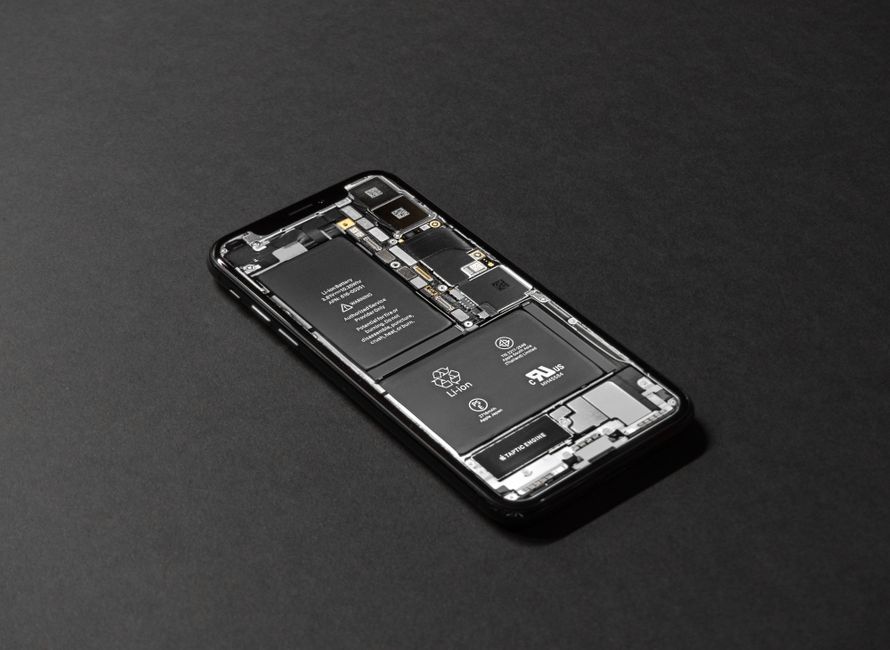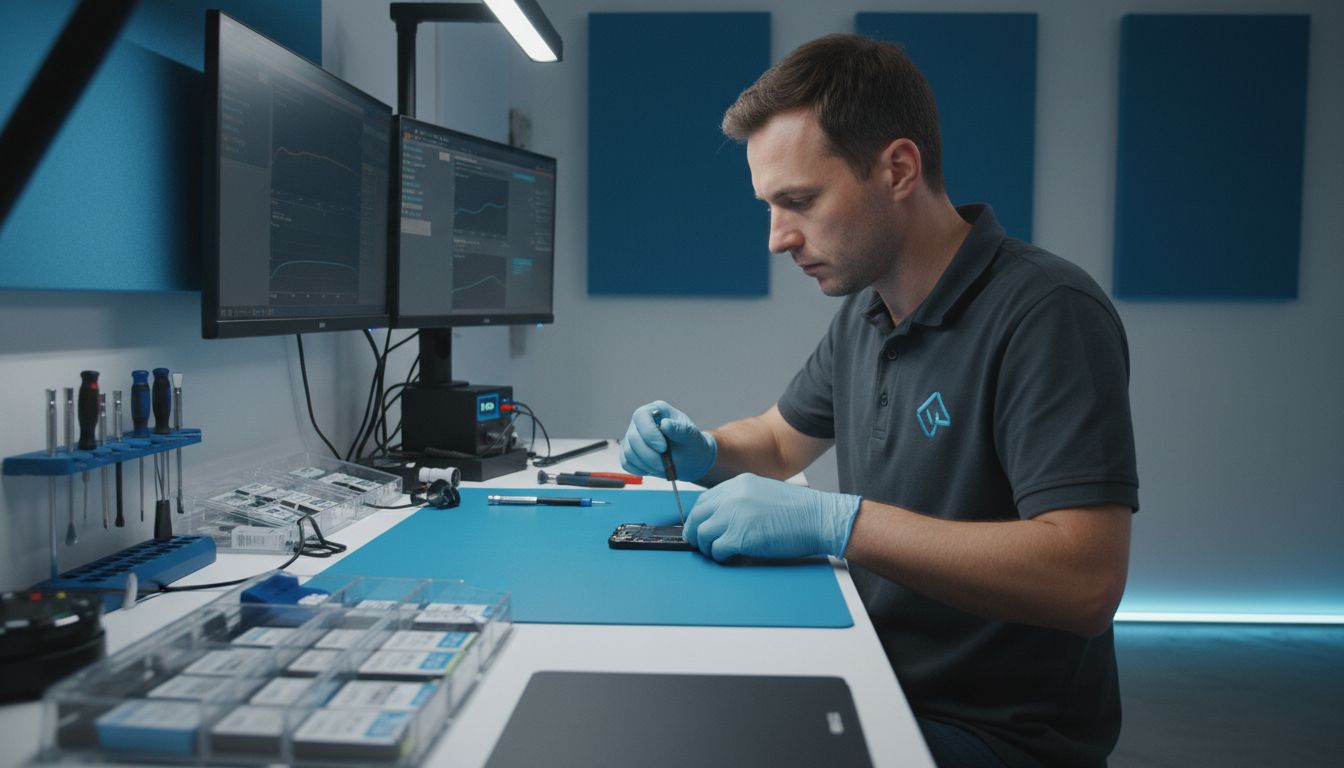
Most smartphone and laptop owners are surprised to learn that batteries lose up to 20 percent of their capacity in the first year alone. As devices age, sudden shutdowns and rapid battery drain become frustratingly common. Understanding when and how to replace a battery can save money, prevent data loss, and keep devices running at their best. This guide helps clear up widespread myths and explains what every device user should know about safe and effective battery replacement.
Table of Contents
- Defining Battery Replacement And Common Myths
- Types Of Device Batteries Needing Replacement
- How The Battery Replacement Process Works
- Signs Your Device Needs A New Battery
- Risks, Costs, And Comparing Other Solutions
Key Takeaways
| Point | Details |
|---|---|
| Battery Replacement Importance | Professional battery replacement restores device performance and extends lifespan. |
| Common Signs of Battery Failure | Users should monitor for rapid drain, unexpected shutdowns, and physical swelling as indicators for replacement. |
| Cost-Effectiveness | Professional service generally costs between $50 to $200, offering a cheaper alternative to full device replacement. |
| Benefits of Professional Service | Utilizing expert technicians ensures compatibility, reduces damage risks, and often comes with warranty protection. |
Defining Battery Replacement and Common Myths
Battery replacement is a specialized process of removing and installing a new power source in electronic devices like smartphones, tablets, and laptops. It involves carefully extracting the old battery and inserting a fresh, fully functional replacement to restore optimal device performance.
According to the Association of the Wall and Ceiling Industry, several persistent myths surround battery maintenance and replacement. One common misconception is that batteries perform better when chilled or stored in cold environments. However, experts warn that extreme temperatures can actually damage battery cells and compromise their long-term functionality.
Most device batteries have a typical lifespan of 2-3 years before experiencing significant performance degradation. Signs you might need a battery replacement include:
- Rapid battery drain
- Device shutting down unexpectedly
- Battery percentage dropping inconsistently
- Noticeable swelling or physical battery deformation
- Overheating during charging or usage
With our step by step phone battery replacement guide, customers can understand the intricacies of professional battery service. Professional replacement ensures your device maintains its original performance, extending its operational life and preventing potential damage from DIY attempts.
Types of Device Batteries Needing Replacement
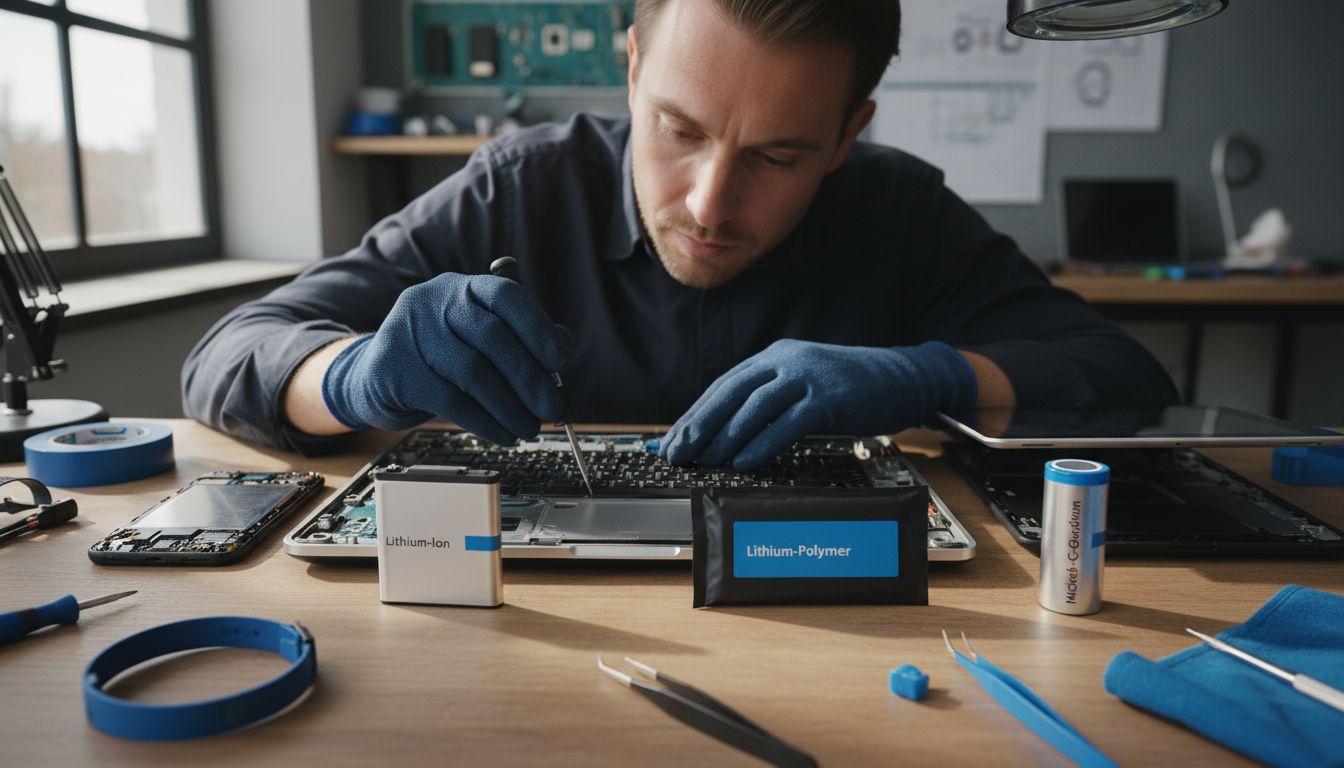
Modern electronic devices utilize several distinct battery technologies, each with unique characteristics and replacement requirements. GeeksforGeeks highlights the primary battery types encountered in smartphones, laptops, and portable electronics, which include Lithium-Ion, Nickel-Cadmium (NiCd), and Lead Acid batteries.
Lithium-Ion batteries represent the most common battery type in contemporary devices. These lightweight, high-capacity power sources are found in smartphones, tablets, laptops, and wireless accessories. They typically require replacement every 2-3 years due to natural performance degradation, characterized by reduced charging capacity and increased internal resistance.
According to the American Chemical Society, battery replacement needs vary based on the underlying electrochemical principles. Different battery chemistries respond uniquely to charging cycles and environmental conditions, influencing their overall lifespan and performance.
Device-specific battery types include:
- Smartphone Batteries: Predominantly Lithium-Polymer (Li-Po)
- Laptop Batteries: Lithium-Ion with varying cell configurations
- Tablet Batteries: Similar to smartphone batteries, often custom-designed
- Wireless Earbuds: Typically small Lithium-Ion or Lithium-Polymer cells
Understanding these battery variations helps consumers make informed decisions about when and how to replace their device’s power source. Professional battery replacement services can assess the specific battery type and recommend the most appropriate replacement strategy.
How the Battery Replacement Process Works
Battery replacement is a precise technical procedure that involves carefully removing the old power source and installing a new, compatible battery in electronic devices. Consumer Product Safety Commission strongly recommends using manufacturer-approved batteries to ensure safety and optimal device performance.
The typical battery replacement process includes several critical steps:
- Device Diagnostic Assessment
- Battery Compatibility Verification
- Safe Battery Extraction
- New Battery Installation
- Functional Testing
According to NETAWORLD Journal, professional technicians utilize specialized testing procedures like impedance and capacity testing to determine the precise condition of the existing battery before replacement. This approach ensures that only batteries genuinely requiring replacement are serviced.
Professional battery replacement offers several advantages over DIY methods:
- Precision tools and equipment
- Expert diagnostic capabilities
- Guaranteed compatibility
- Warranty protection
- Minimized risk of device damage
Our device repair process guide provides additional insights into the technical nuances of professional electronic device maintenance, helping customers understand the complexity behind seemingly simple repair procedures.
Signs Your Device Needs a New Battery
Modern electronic devices communicate several clear indicators that their battery is approaching end-of-life and requires professional replacement. Oklahoma Informational Briefing highlights critical warning signs that signal immediate battery replacement needs.
Performance degradation is the most telling sign of battery failure. According to the Association of the Wall and Ceiling Industry, key symptoms include reduced runtime, slow charging speeds, and unexpected device overheating during normal usage. These issues suggest your battery’s internal chemistry is breaking down and can no longer maintain optimal performance.
Comprehensive battery health warning signs include:
- Rapid battery percentage drops
- Device shutting down unexpectedly
- Significant charging time increases
- Physical battery swelling or deformation
- Excessive heat generation during charging
- Inconsistent battery percentage readings
Professional diagnostic services can precisely assess your device’s battery condition. Our guide on phone repairs provides additional insights into recognizing and addressing electronic device battery issues before they cause permanent damage. Early detection and professional replacement can significantly extend your device’s operational lifespan and prevent potential safety risks.
Risks, Costs, and Comparing Other Solutions
Battery replacement involves carefully weighing potential risks, financial investments, and long-term device sustainability. European Environmental Bureau emphasizes the critical importance of understanding the broader implications of battery replacement beyond immediate device functionality.
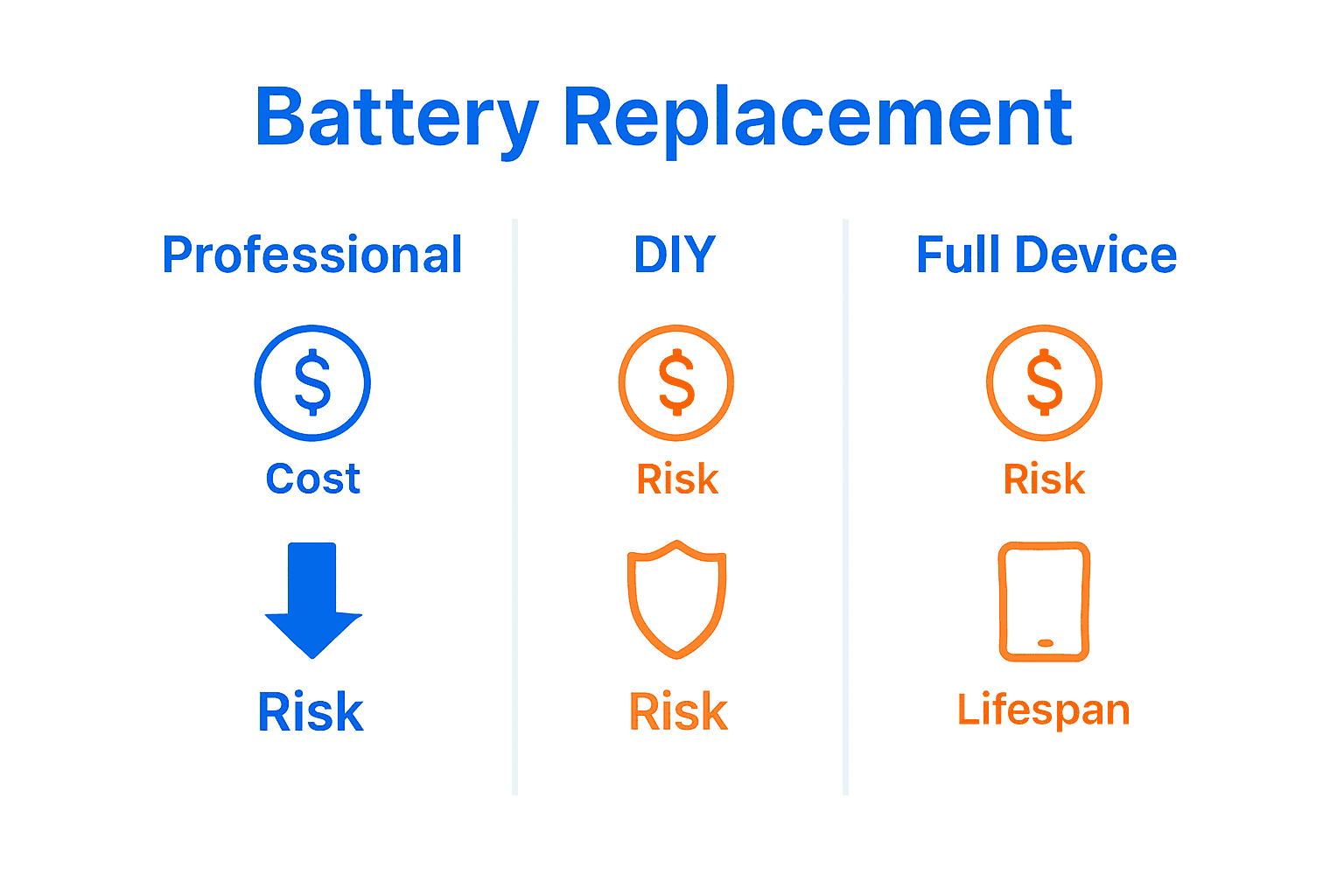
Cost considerations for battery replacement vary significantly depending on device type and battery complexity. Professional replacement typically ranges from $50 to $200, which is often substantially cheaper than purchasing an entirely new device. The primary alternatives include:
- Device replacement
- DIY battery replacement
- Battery pack external charging
- Manufacturer warranty service
Risks associated with battery replacement include potential device damage during the process, compatibility issues with aftermarket batteries, and voiding existing warranties. Professional repair services mitigate these risks by using specialized tools and manufacturer-approved components.
Financial and environmental factors make professional battery replacement an attractive option. Our device repair guide provides additional insights into making informed decisions about electronic device maintenance, helping consumers balance cost-effectiveness with long-term device reliability. By choosing professional replacement, users can extend device lifespan, reduce electronic waste, and maintain optimal device performance at a fraction of the cost of total device replacement.
Restore Your Device’s Power with Expert Battery Replacement
If you have noticed your device rapidly losing charge or shutting down unexpectedly, it is time to consider a professional battery replacement. The article highlights key signs like physical swelling, inconsistent battery percentages, and device overheating that indicate your battery is failing. These issues can disrupt your daily routine and cause frustration, but you do not have to face them alone.

Get your smartphone, tablet, or laptop back to peak performance quickly and affordably with Dash Repairs. Our expert technicians use precise diagnostic tools to ensure your replacement battery matches your device perfectly for optimal longevity and safety. Avoid the risks of DIY attempts and costly device replacements by relying on our trusted repair services. Visit our device repair process guide to learn more about how we handle your device with care. Take action today and see why local customers choose Dash Repairs for reliable battery replacements that bring life back to your electronics.
Frequently Asked Questions
What is battery replacement?
Battery replacement is the process of removing an old battery from an electronic device and installing a new, compatible battery to restore optimal performance.
How often should I replace my device’s battery?
Most device batteries should be replaced every 2-3 years, depending on usage and performance degradation signs like rapid battery drain and unexpected shutdowns.
What are the signs that my device needs a new battery?
Common signs include rapid battery percentage drops, unexpected shutdowns, slow charging, physical swelling, and excessive heat generation during use or charging.
Why should I choose professional battery replacement over DIY methods?
Professional battery replacement ensures compatibility, minimizes risks of device damage, and utilizes manufacturer-approved components, often leading to better long-term device performance.
Recommended
- Step by Step Phone Battery Replacement Guide for All Models | Dash Cellular Repair | Cell Phone, iPhone, Laptop Repair in Oklahoma
- 7 Quick Fix Examples Every Smartphone User Should Know | Dash Cellular Repair | Cell Phone, iPhone, Laptop Repair in Oklahoma
- 8 Practical Examples of Device Repairs You Can Do | Dash Cellular Repair | Cell Phone, iPhone, Laptop Repair in Oklahoma
- Device Repair Process Explained: Complete Local Guide | Dash Cellular Repair | Cell Phone, iPhone, Laptop Repair in Oklahoma
- Batterie wechseln Anleitung: Schritt für Schritt sicher tauschen – accu.blog
- Geräteakku austauschen: Schritt-für-Schritt zur neuen Energie – accu.blog